Hold a key. Say it. Let go.
SpokenKey is a Mac app that types what you said at your cursor when you let go. Transcription runs on your Mac, and your audio never leaves it.
Buy SpokenKey, $39One-time purchase. Apple Silicon Mac, macOS 15 or later. English.
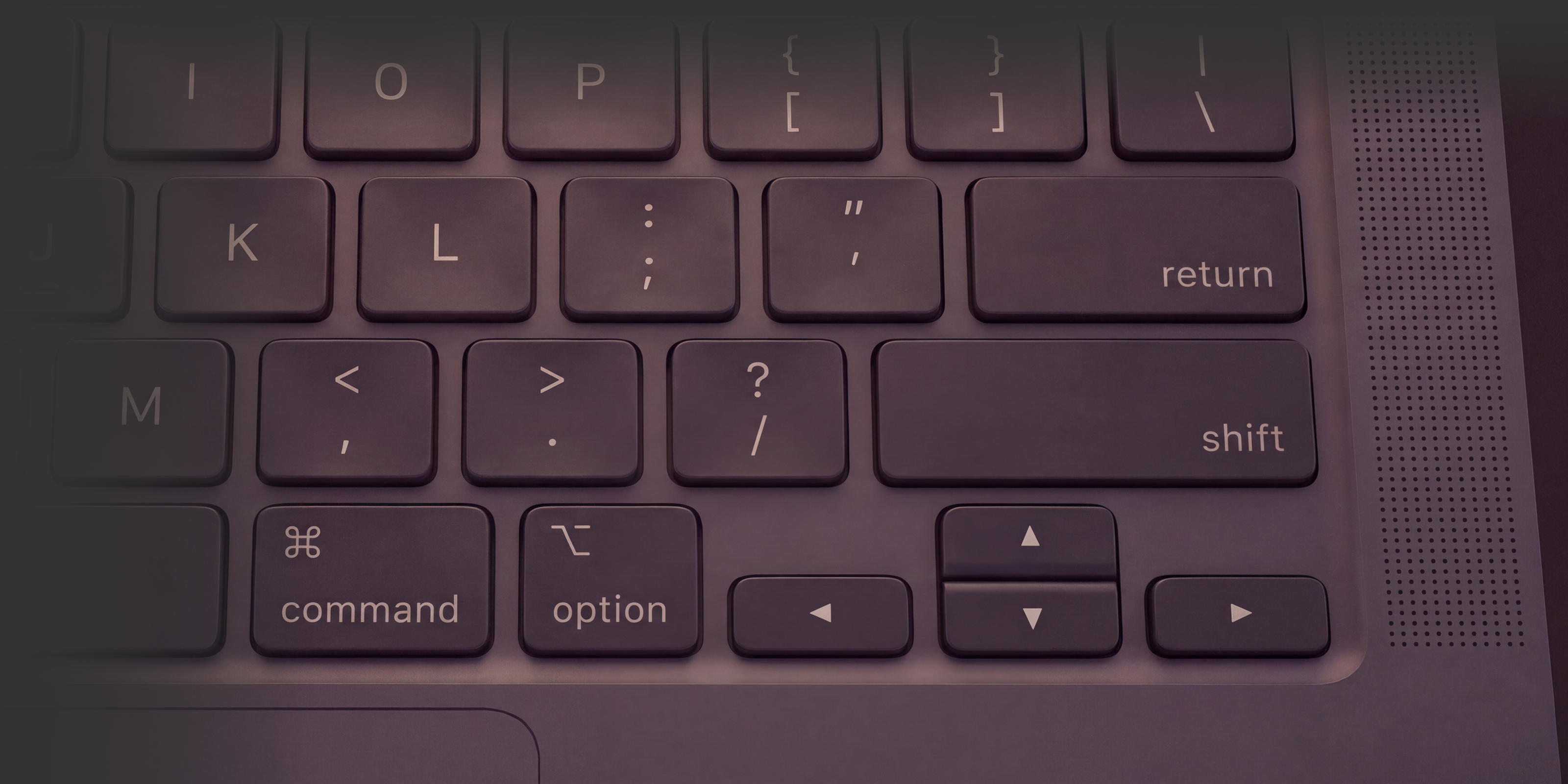
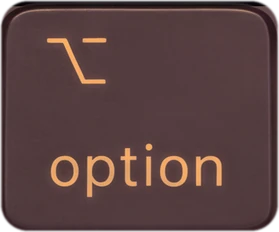
Right ⌥ Option by default.
Hold it to try; this page never uses your microphone.Tap the Option key to try; this page never uses your microphone.
Press Enter or Space to play it, or hold the right Option key on your keyboard.
Five modes
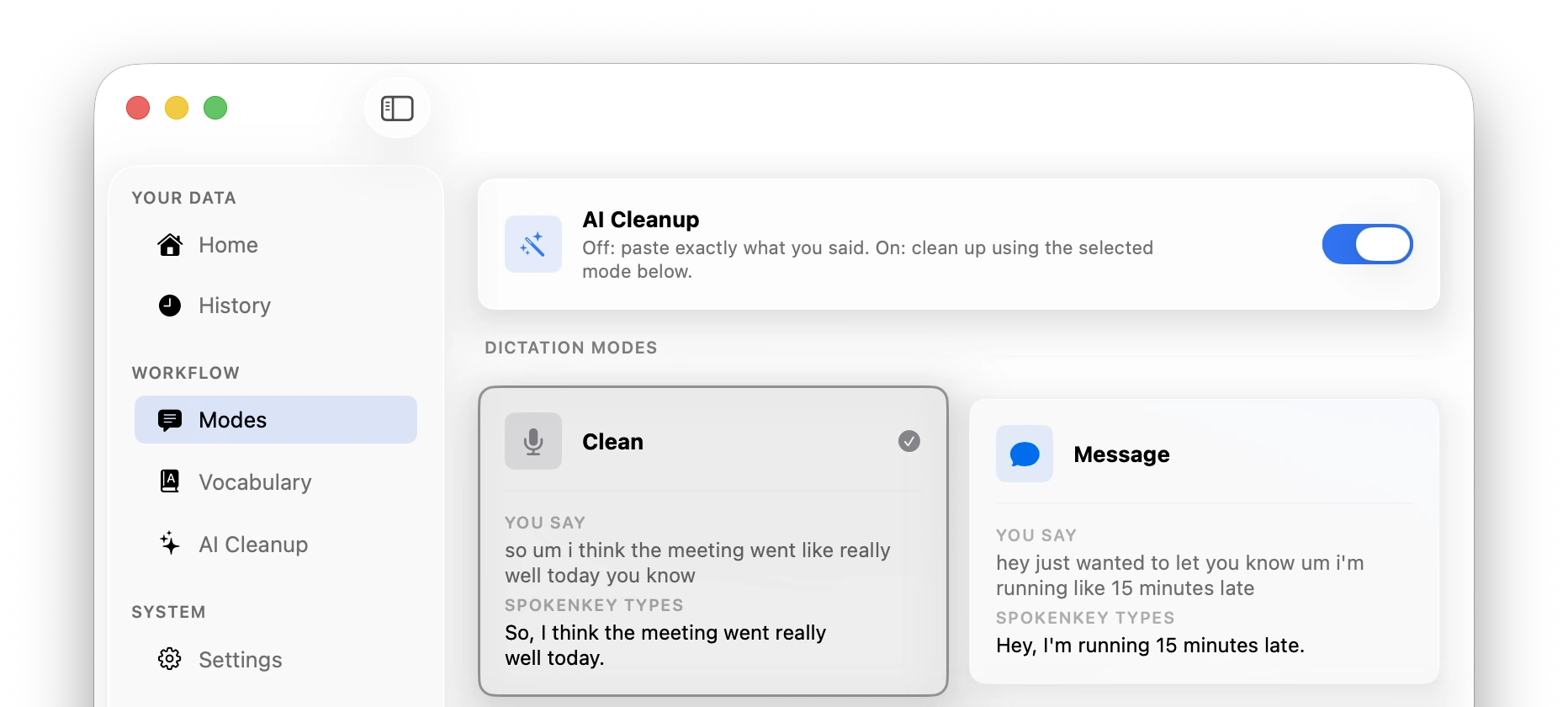
With AI Cleanup on, the mode you pick sets the format. With it off, SpokenKey pastes what you said, plus your vocabulary fixes.
Shown with AI Cleanup on. It stays off until you choose a provider.
| Mode | You say | It types |
|---|---|---|
| CleanPunctuation and capitals, without the ums. | “so um i think the meeting went like really well today you know” | So, I think the meeting went really well today. |
| MessageShort enough for chat. | “hey just wanted to let you know um i'm running like 15 minutes late” | Hey, I'm running 15 minutes late. |
| EmailA greeting and full sentences. | “hi sarah um i just wanted to check in about the quarterly report it's due march 15th” | Hi Sarah,Checking in on the quarterly report. It's due March 15th. |
| NotesBullets, with who does what. | “james will update the wireframes by wednesday and maria needs to schedule user testing” | * James: update wireframes by Wednesday* Maria: schedule user testing |
| PromptAn instruction an AI tool can follow. | “okay so I want to like extract the filter logic out of that service into its own class, also add logging, and make sure the interface stays the same so nothing breaks” | Extract the filter logic from the service into its own class. Add logging. Preserve the existing interface so callers don't break. |
Cleanup is instructed to keep your wording, including the blunt and emotional parts. If no provider returns text that passes its checks, for example because a reply came back cut short, you get the raw transcript.
The dictation app that lists its network calls
This is everything SpokenKey sends or fetches.
- Your audio
- Stays on your Mac. NVIDIA's Parakeet model transcribes it there.
- Your text, with AI Cleanup off (the default)
- Stays on your Mac.
- Your text, with Ollama
- Stays on your Mac while Ollama runs there (the default). Point Ollama at another machine and the text goes to that machine.
- Your text, with Gemini or another cloud provider
- Goes to that provider, on your own API key. Off by default.
- On launch
- One version check to spokenkey.com.
- First launch
- A one-time download of the speech model, about 500 MB, from Hugging Face.
- Analytics and crash reporting
- None in the app.
Recent recordings: the latest 20 stay on your Mac so a failed dictation can be recovered, and each launch deletes any older than 24 hours.
This website, not the app, counts page views with Vercel Web Analytics, which sets no cookies.
Custom vocabulary
When SpokenKey mishears a name, add the correction once. “Kuber net ease” becomes Kubernetes in every dictation after that. Corrections run before cleanup, so they apply with it on or off, and your edits survive updates.
- Kuber net easeKubernetes
- git hubGitHub
Say “new paragraph” or “bullet point” and SpokenKey formats the text. Say only “scratch that” right after a dictation and it deletes what it just pasted.
AI Cleanup is off until you choose a provider
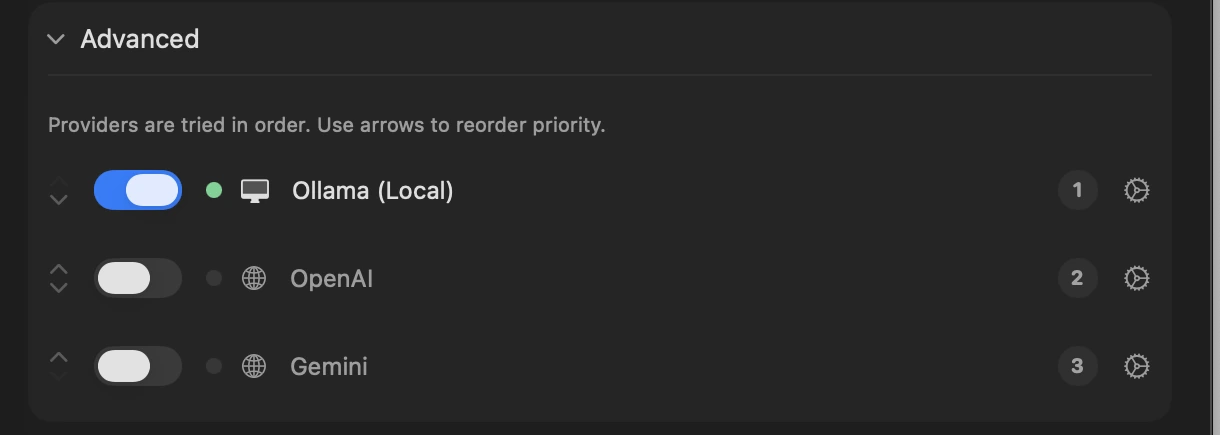
Run a model on your Mac with Ollama, or use your own key for Gemini or any OpenAI-compatible service. Providers are tried in the order you set. If none of them succeeds, you get your raw transcript.
Check the cleanup against what you said
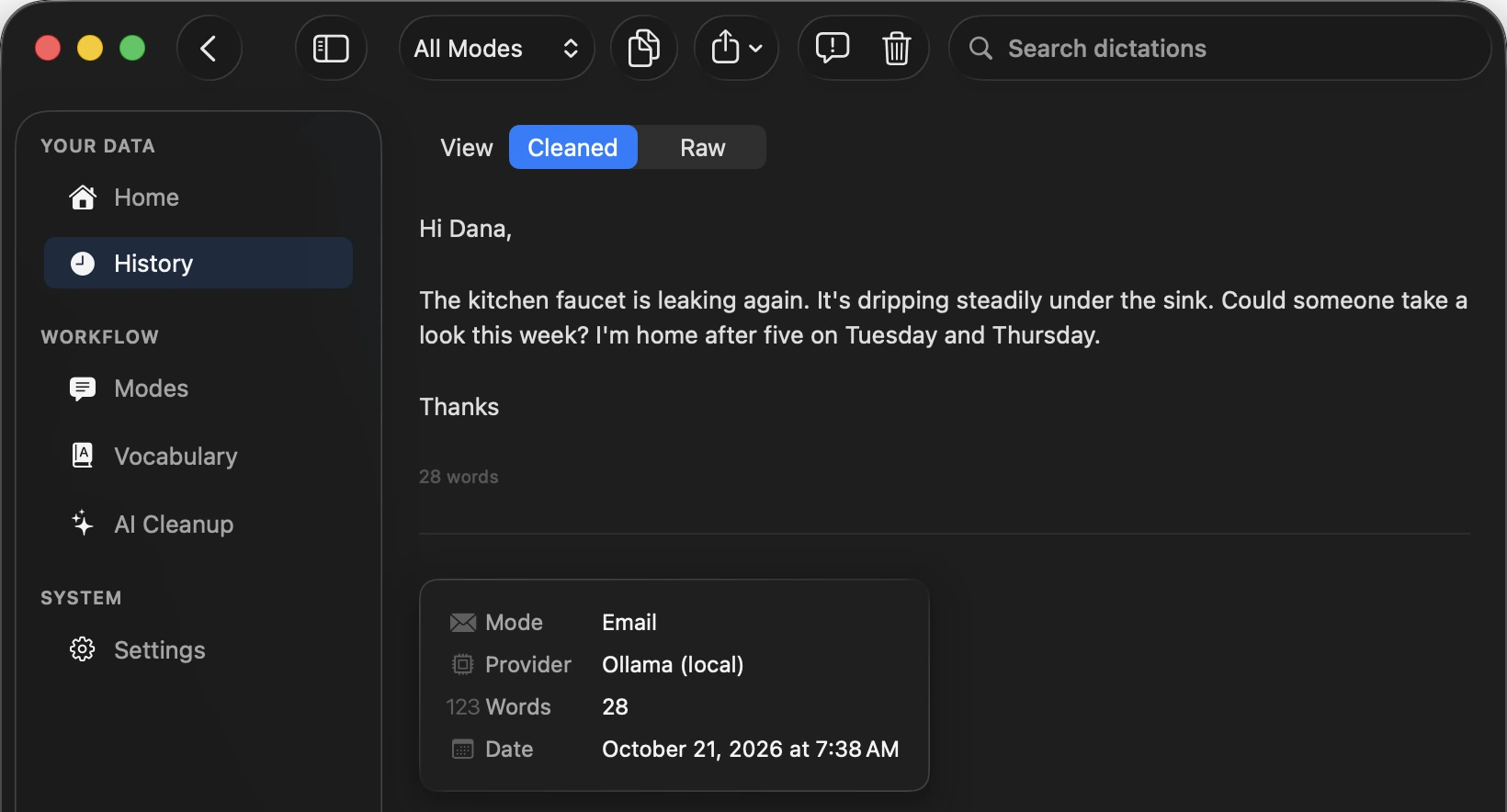
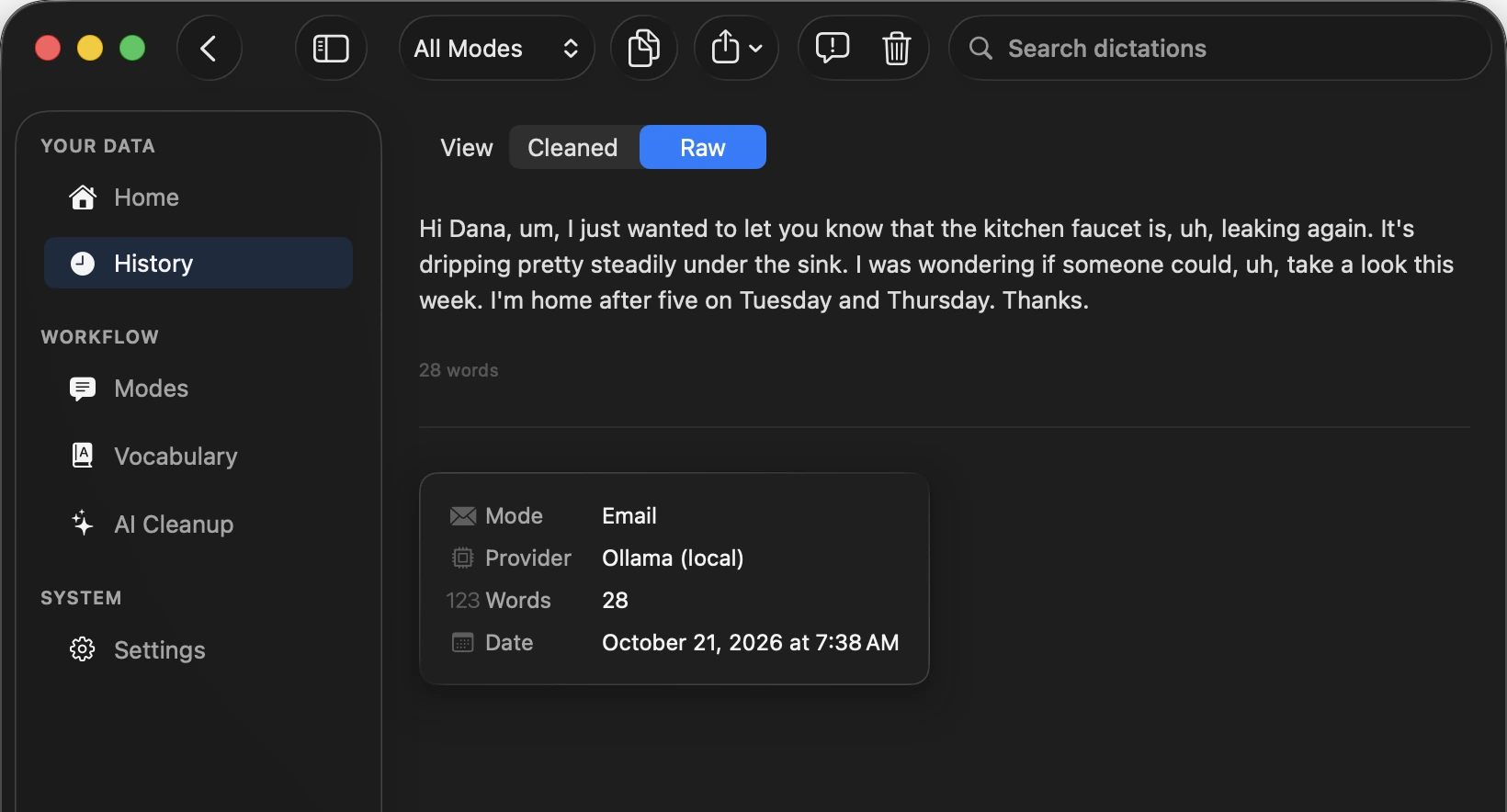
History keeps both versions of every dictation: what the speech model heard, and what SpokenKey pasted. Both stay on your Mac, and you can search what it pasted.
How it behaves
- Lives in the menu bar. The Dock icon appears only while its window is open.
- Puts your clipboard back after it pastes.
- Won't paste into the lock screen or a macOS password prompt. The text waits on the clipboard.
- If you switch apps mid-dictation, it pastes where you ended up and tells you so.
- Searchable history, filterable by mode.
- One-click Markdown export to Obsidian, Bear, Logseq, or any folder.
For people who type all day, and people who already dictate.
Next to the dictation built into macOS
macOS Dictation is built in, can run on your Mac, and covers more languages than SpokenKey. Here is what SpokenKey does differently.
- You hold a key you choose to talk, and let go to paste.
- With AI Cleanup on, Modes shape the same speech into a message, an email, notes, or an AI prompt.
- Vocabulary fixes a name it gets wrong, in every dictation after that.
- History keeps the raw and the cleaned text of every dictation.
- Your clipboard is put back after each paste.
$39, once.
- Use it on up to 3 Macs.
- Apple Silicon Mac, macOS 15 (Sequoia) or later.
- English dictation.
- About 500 MB speech model, downloaded on first launch.
- New versions show up as a notice in Settings.
- Changed your mind? Email hello@spokenkey.com within 14 days for a refund.
- Checkout by Polar. Your confirmation email links to your purchase page, where you download SpokenKey.
14-day refund. No subscription.
I got tired of typing and didn't want to sacrifice privacy for convenience, so I built my own dictation app. I use it every day. If you have questions or ideas, email hello@spokenkey.com.
Tyler
Questions
How does SpokenKey compare to other dictation apps?
Many dictation apps are subscriptions. SpokenKey is a one-time $39, and it transcribes on your Mac. AI Cleanup is optional and stays off until you choose where it runs: a local model through Ollama, or a cloud provider with your own API key. The network list above names everything the app sends or downloads.
What happens the first time I open it?
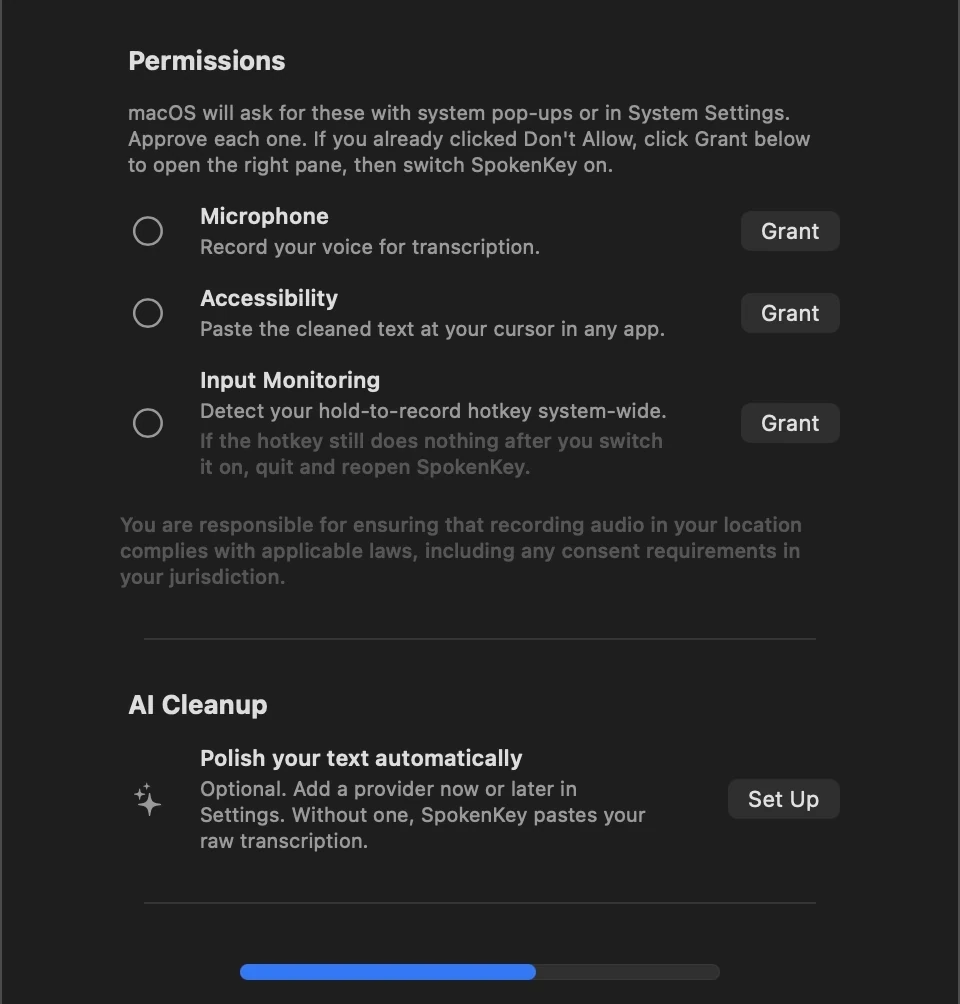
macOS asks for three permissions: Microphone to hear you, Accessibility to paste, and Input Monitoring to notice your hotkey. SpokenKey also downloads its speech model, about 500 MB, once. If the hotkey does nothing after you turn on Input Monitoring, quit and reopen SpokenKey.
Which key do I hold?
Right Option by default. Settings also offers Right Command, Fn, F5, or F6.
Why does the text appear after I let go?
SpokenKey transcribes the whole recording when you release the key, then pastes once. Nothing appears while you talk.
Does it work in my app?
In any app that accepts a paste. SpokenKey presses Command-V for you and puts your clipboard back afterward.
Does it keep my audio?
For a while, on your Mac only. The latest 20 recordings are kept so a failed dictation can be recovered, and each time SpokenKey launches it deletes any older than 24 hours. Audio is never uploaded.
Does it work offline?
Once the speech model has downloaded, yes. Transcription and Ollama cleanup need no connection. Cloud cleanup does.
What if Ollama has unloaded its model?
SpokenKey skips Ollama and tries your next cleanup provider, or pastes the raw transcript when Ollama is the only one. The “Keep model warm” setting keeps the model loaded, at the cost of memory.
Do I need an API key or a subscription?
No subscription, and no key for dictation. AI Cleanup is optional: run a model with Ollama, or bring your own Gemini or OpenAI-compatible key.
Does it do other languages?
English only for now.
Does it work on Intel Macs?
SpokenKey is tested only on Apple Silicon, so Intel Macs aren't supported.
Is there a free trial?
No. If it isn't for you, email hello@spokenkey.com within 14 days of buying and you'll get a refund.
Do I need a license key?
No. Your purchase comes with one as proof of purchase, and SpokenKey never asks for it.
How do updates work?
SpokenKey checks once when it launches. When a new version is out, a notice in Settings links to the download.
SpokenKey for Mac. $39, once.
14-day refund. No subscription.